
How to Choose a Home Energy Monitor for Your Panel (2026 Guide)
This post contains affiliate links. We earn a commission when you purchase through our links at no extra cost to you.
Learning how to choose a home energy monitor starts at your electrical panel, not in the app store. The right monitor depends on your service size, how much detail you want, and whether you have solar, a battery, or an EV charger. This guide walks you through every decision in plain English so you buy once and buy right.
Our best overall value energy monitor. Two main clamps plus up to 16 branch circuit clamps, with usage history and solar tracking in the app.
Check Price on Amazon →Quick Answer
- Want the most data for the money? Pick a circuit-level monitor like the Emporia Vue 3 with 16 branch sensors.
- Want insights without clamping every circuit? Pick a whole-home monitor with device detection, such as Sense.
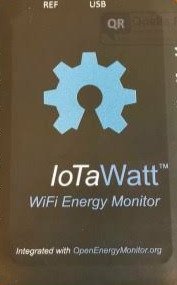
- Want local data and no cloud? Pick an open platform like IoTaWatt.
- Replacing your panel anyway? Consider a smart panel like Span, which monitors and controls every circuit.
What a Home Energy Monitor Actually Does
A home energy monitor uses current transformer clamps, called CTs, that snap around the wires inside your breaker panel. The clamps measure current flowing to your home or to individual circuits, and a small hub sends that data to an app over Wi-Fi. You see live usage, daily trends, and costs instead of waiting for a monthly bill.
That visibility matters because the bill keeps climbing. According to the Energy Information Administration, the average American home used 865 kWh per month in 2024 and paid about 16.5 cents per kWh. That works out to an average monthly bill of roughly $144.
Your utility meter only tells you the total. A monitor tells you which loads are driving that total and when.
Step 1: Check Your Panel Before You Shop
Open your panel door (not the dead front cover) and read the label on the main breaker. Most homes have 100A, 150A, or 200A split-phase service at 120/240 volts. Your monitor’s main CTs must be rated at or above your service size.
Next, look at the size of your main service conductors. Larger homes and 200A services often use thick aluminum cable, and the CT opening must close fully around it. A clamp that does not close properly gives bad readings.
Finally, check three practical details:
- Space inside the panel: You need room for the hub and for clamps on each circuit you want to track.
- A spare breaker slot: Many monitors draw power from a dedicated 240V double-pole breaker, often 15A or 20A.
- Wi-Fi strength at the panel: Steel panels block signals, and basements or garages are often weak spots. Test your phone’s signal right next to the panel before you buy.
If you have a subpanel or a 3-phase supply, confirm the monitor supports it. Some models need extra sensor kits for these setups.
Step 2: Choose Whole-Home or Circuit-Level Monitoring
This is the biggest decision you will make. Whole-home monitors clamp only the two main service conductors. Circuit-level monitors add a small clamp to each branch circuit you care about.
| Feature | Whole-Home | Circuit-Level |
|---|---|---|
| What it measures | Total home usage | Total plus each clamped circuit |
| Appliance insight | Estimated by software | Measured directly |
| Install effort | Lower (two clamps) | Higher (many clamps) |
| Accuracy per device | Varies, improves over time | Consistent from day one |
| Typical cost | Mid-range | Budget to mid-range |
My advice is simple. If your panel has room and you are comfortable with more clamps, circuit-level monitoring gives you hard numbers you can trust. If your panel is crowded, whole-home monitoring is the cleaner path.
Step 3: Decide How Much Device Detection Matters
Some whole-home monitors use machine learning to spot the electrical “signature” of each appliance. Sense is the best-known example, and it can identify motors, heating elements, and compressors over weeks of learning. It is impressive when it works, but it will not find every device.
Small electronics, variable-speed equipment, and devices that run at the same time are harder to separate. If you need exact numbers for a heat pump, well pump, or EV charger, a dedicated circuit clamp is more reliable. Hybrid options, like Sense Flex sensors or Emporia’s branch clamps, let you combine both methods.
Step 4: Plan for Solar, Batteries, and EV Chargers
If you have solar panels, you want a monitor that tracks production and consumption separately. That lets you see net usage, export to the grid, and how much of your solar you actually use. Check whether solar support is built in or needs an add-on sensor kit.
Batteries and backup systems add another layer. Confirm the monitor can track power flowing in both directions, or you may see confusing negative readings. EV chargers usually sit on a 40A to 60A circuit, so make sure the branch clamp you use for them is rated high enough.
Planning a generator transfer switch too? Read our guide to the best voltage tester for generator hookup before you touch the panel.
Step 5: Compare Apps, Data Access, and Subscriptions
The hardware only collects data. The app decides whether you actually use it. Look for real-time power views, historical graphs, cost tracking with your utility rate, and alerts for unusual usage.
Smart home users should check these points:
- Home Assistant support: Some monitors offer official or community integrations, while others keep data locked in their cloud.
- Local data storage: IoTaWatt stores readings on the device, so it keeps working if the internet goes down.
- Subscription fees: Many monitors offer free core features, but confirm what happens to your history and alerts over time.
- Data export: CSV export helps if you want to analyze usage in a spreadsheet.
Step 6: Be Honest About Installation
Installing a monitor means working inside a live electrical panel. The main service conductors stay energized even when the main breaker is off, because they come straight from the utility. A slip with a screwdriver here can cause a serious arc flash or shock.
If you have never removed a panel cover, hire a licensed electrician. The job usually takes an hour or two, and many manufacturers recommend professional installation. Some local jurisdictions also require a permit for work inside the panel.
If you do the work yourself, use insulated tools, wear safety glasses, and verify every circuit with a tester. Use our project tool checklist to make sure you have the right gear before you start.
Popular Home Energy Monitors Compared
| Monitor | Type | Circuits | Solar | Best For | Price Tier |
|---|---|---|---|---|---|
| Emporia Vue 3 | Circuit-level | Up to 16 | Yes | Most data per dollar | Budget |
| Sense Energy Monitor | Whole-home | Mains only | Add-on | Device detection | Mid-range |
| Sense Flex | Hybrid | Mains plus 2 | Yes | Detection plus one key load | Mid-range |
| IoTaWatt | Circuit-level | Up to 14 inputs | Yes | Local data, tinkerers | Mid-range |
| Span Smart Panel | Panel replacement | Every circuit | Built in | Panel upgrades, backup control | Premium |
Want to line these up against other tools? Try our side-by-side tool comparison.
Our Picks by Situation
Best Overall Value: Emporia Vue 3 with 16 Sensors
The Vue 3 gives you two main clamps plus up to 16 branch circuit clamps at a budget price. Core app features, history, and solar tracking come without a required subscription. It is my first pick for most homeowners with a 200A panel and some spare room inside.
Best for Device Detection: Sense Energy Monitor
Sense needs only two clamps on the mains, so installation is quick and the panel stays tidy. Its software learns your appliances over time and flags always-on loads. Add the solar kit if you have panels on the roof.
Best for Local Control: IoTaWatt
IoTaWatt is open source and keeps your data on the device instead of a company cloud. It works well with Home Assistant, InfluxDB, and Grafana. Setup takes more effort, so it suits users who enjoy configuring their own dashboards.
Best Premium Upgrade: Span Smart Panel
Span replaces your breaker panel entirely, monitors every circuit, and lets you switch circuits on or off from the app, which helps during an outage with battery backup. Because it costs far more and needs a licensed electrician, it makes most sense when you are replacing your panel anyway. Learn more at span.io.
How Much Can a Home Energy Monitor Save You?
A monitor does not save energy by itself. It shows you where to act. A meta-review by the American Council for an Energy-Efficient Economy (ACEEE) found that energy feedback cut household electricity use by about 4% to 12%.
Always-on devices are a common target. Research from the Natural Resources Defense Council (NRDC) found idle loads made up nearly 23% of electricity use in the California homes studied. That cost about $165 per household per year at the average national rate.
Using the EIA average bill of $144 a month, a 4% to 12% cut equals roughly $69 to $207 per year. Most monitors pay for themselves within a few years if you act on what they show you.
Quick Buying Checklist
Still weighing how to choose a home energy monitor for your panel? Run through this list before you add anything to your cart.
- Main CTs rated at or above your service size (100A, 150A, or 200A)
- CT openings large enough to close around your service conductors
- Room in the panel for the hub and every branch clamp you plan to use
- A spare breaker slot for the monitor’s power feed
- Strong Wi-Fi signal at the panel location
- Solar, battery, or EV support if you need it now or within five years
- An app you like, with cost tracking and usage alerts
- Clear subscription terms and a data export option
- A plan for safe installation, DIY or licensed electrician
Common Mistakes to Avoid
- Buying before checking the panel: Undersized CTs or no spare breaker slot can stop an install cold.
- Ignoring Wi-Fi at the panel: A weak signal causes data gaps. Add a mesh node or extender nearby.
- Clamping the wrong wire: On 240V circuits, follow the manual on which leg to clamp, or readings may be half or double.
- Expecting perfect device detection: Software estimates improve with time, but use circuit clamps for loads you must measure exactly.
- Skipping safety gear: Always treat the main lugs as live.
Frequently Asked Questions
Do I need an electrician to install a home energy monitor?
Not always, but it is the safest choice if you are new to panel work. The main conductors stay live even with the main breaker off. Many manufacturers recommend professional installation.
Will a home energy monitor work with a 100A panel?
Yes, most monitors rated for 200A also work on 100A and 150A service. The bigger question is physical space inside a smaller panel. Check clearance for the hub and clamps first.
Are home energy monitors accurate?
Circuit-level clamps give consistent, direct measurements when installed correctly. Whole-home device detection is an estimate that improves over weeks. Compare your monitor’s monthly total with your utility bill to confirm it is calibrated.
Can a home energy monitor track solar panels?
Many can, including Emporia Vue 3, IoTaWatt, Span, and Sense with its solar kit. You need extra clamps on the solar output to separate production from consumption. Confirm solar support before you buy.
Do home energy monitors require a monthly subscription?
Many popular models offer core features without a subscription. Some brands add paid tiers for advanced features or extended history. Read the current plan terms on the manufacturer’s site before buying.
Ready to See Where Your Power Goes?
Check your panel, pick your monitoring style, and start cutting waste this month.Shop Home Energy Monitors on Amazon
Also Read On:
👉Milwaukee M12 vs M18: Which Battery System Should You Buy?