How to Use a Car Code Reader: Step-by-Step Guide (2026)
Table of Contents
- What Is a Car Code Reader?
- What You Need Before You Start
- Step-by-Step: How to Use a Car Code Reader
- Reading and Understanding the Codes
- Should You Clear the Codes?
- Common Mistakes to Avoid
- Best Car Code Readers in 2026
- Frequently Asked Questions
Your check engine light just came on, and the nearest shop wants $120 just to plug in a scanner and read the code. A car code reader does the exact same job in under three minutes, and a reliable one costs less than $40. In 2026, knowing how to use a car code reader is one of the most practical skills any vehicle owner can have.
This guide walks you through the entire process, from locating the OBD2 port to reading live sensor data and deciding whether to clear codes or head straight to a mechanic. I have used dozens of these tools over the past decade as a licensed electrical engineer, and the steps I outline here work for virtually every scanner on the market.
We independently evaluate all of our recommendations. If you click on links we provide, we may receive compensation.
What Is a Car Code Reader?
A car code reader is a diagnostic tool that communicates with your vehicle’s onboard computer through the OBD2 port. OBD2 stands for On-Board Diagnostics, second generation, and it has been the universal standard in the US since 1996 and across most global markets since 2001. When a sensor detects a problem, the car’s ECU (Engine Control Unit) stores a Diagnostic Trouble Code, commonly called a DTC, and switches on the check engine light.
A basic code reader retrieves these stored codes and displays them on a small screen. More advanced scanners, often called OBD2 scan tools, can also display live data streams, freeze frame data, and sometimes run active tests on individual components. For most DIY owners, a basic reader handles the majority of everyday diagnostics.
What You Need Before You Start
You need the code reader itself, your vehicle’s ignition key, and ideally a smartphone or notepad to write down the codes before clearing them. You do not need any mechanical tools, safety equipment, or the engine to be running.
Confirm your vehicle is compatible. Any car, truck, or SUV manufactured after 1996 in the US is OBD2 compliant. European vehicles from 2001 onward and most Asian market vehicles from 2003 onward are also compatible. If your vehicle predates these years, you will need a model-specific scanner rather than a universal reader.
Pro Tip: If you are buying your first scanner, look for one that displays both the code and a short plain-English description on screen. Having to cross-reference a code list on your phone while crouched under a dashboard adds unnecessary friction.
Step-by-Step: How to Use a Car Code Reader
Step 1
Locate the OBD2 Port
The OBD2 port is a 16-pin trapezoid connector located inside the cabin, almost always within 18 inches of the steering wheel on the driver’s side. Check under the dashboard near the fuse box, or just to the left of the steering column. On some trucks and older vehicles it may be tucked behind a small plastic panel that pops off with light pressure.
Step 2
Turn the Ignition to the ON Position
Do not start the engine. Turn the key to the second click, where the dashboard lights illuminate, or press the start button once without pressing the brake pedal on push-button ignition vehicles. This position is labeled ACC or ON and provides power to the OBD2 port and the vehicle’s computer without cranking the engine.
Step 3
Plug In the Code Reader
Connect the reader’s OBD2 connector to the port with a firm push until it clicks. The reader should power on automatically, drawing power directly from the port. If nothing happens, verify the ignition is in the ON position and check that the connector is fully seated.
Step 4
Navigate to “Read Codes”
Most readers boot to a main menu. Select “Read Codes,” “Diagnostic Codes,” or “Fault Codes” using the arrow buttons and confirm with the Enter or OK key. The scanner will communicate with the ECU, a process that usually takes five to fifteen seconds, then display any stored or pending codes.
Step 5
Record Every Code Displayed
Write down each code exactly as shown, including any prefix letters. A typical code looks like P0420, where the letter identifies the system: P for Powertrain, B for Body, C for Chassis, and U for Network. You may see multiple codes, and each one points to a different potential fault. Do not skip this step before clearing, because once you clear the memory the codes are gone until the fault reoccurs.
Step 6
Review Freeze Frame Data (If Available)
Many modern readers also show freeze frame data, which is a snapshot of engine conditions at the moment the fault was first detected. This data includes engine speed, coolant temperature, fuel trim values, and vehicle speed. Freeze frame data is extremely useful for intermittent faults that do not appear consistently during a mechanic’s test drive.
Reading and Understanding the Codes
Every OBD2 code follows the same five-character format. The first character is the system letter. The second digit tells you whether the code is generic (0) or manufacturer-specific (1, 2, or 3). The third digit identifies the subsystem, such as fuel system, ignition, or emissions. The last two digits are the specific fault number within that subsystem.
| Code | System | Description | Common Cause |
|---|---|---|---|
| P0171 | Powertrain | System too lean, Bank 1 | Vacuum leak, dirty MAF sensor |
| P0300 | Powertrain | Random or multiple cylinder misfire | Worn spark plugs, coil pack failure |
| P0420 | Powertrain | Catalyst system efficiency low, Bank 1 | Failing catalytic converter, O2 sensor |
| P0442 | Powertrain | EVAP system small leak detected | Loose or cracked gas cap |
| P0505 | Powertrain | Idle control system malfunction | Dirty idle air control valve |
Once you have your codes written down, search each one on a reputable database such as OBD-Codes.com or the code lookup feature built into your scanner’s companion app. Cross-reference the code description with any drivability symptoms you have noticed, such as rough idle, hesitation, or poor fuel economy. This context helps you determine whether the fix is a simple DIY task or a job for a professional shop.
Should You Clear the Codes?
Clearing codes erases the stored DTCs from the ECU memory and switches off the check engine light. It is appropriate to clear codes after you have completed the repair, as a way to confirm the fix was successful. If the code does not return after several drive cycles, the repair worked.
Do not clear codes just to make the warning light disappear without fixing the underlying problem. The light will return within one to three drive cycles, and you will also reset the ECU’s readiness monitors. These monitors need to complete before your vehicle will pass an emissions inspection, and resetting them can mean waiting days or even weeks of normal driving before the car is inspection-ready.
Important: A flashing check engine light, as opposed to a steady one, indicates an active misfire severe enough to damage the catalytic converter. Do not clear the code and continue driving. Pull over safely and have the vehicle towed or diagnosed immediately.
Common Mistakes to Avoid
The most frequent mistake is clearing codes before writing them down. Once you clear the ECU memory, you lose the stored code and the freeze frame data associated with it. If the problem is intermittent, you could be waiting weeks for it to reappear, and you will have no record of what the original fault was.
A second common error is diagnosing parts rather than systems. A P0420 code does not automatically mean you need a new catalytic converter. It means the converter’s efficiency is below threshold, which could also be caused by a faulty oxygen sensor, an exhaust leak, or even engine oil burning due to worn piston rings. Always investigate the full system before purchasing replacement parts.
Finally, do not ignore pending codes. Most scanners display both confirmed codes, which have triggered the check engine light, and pending codes, which have only failed once and are still being monitored. Pending codes are early warnings. Addressing them before they become confirmed faults can save you from more expensive repairs down the road.
Best Car Code Readers in 2026
The market has matured significantly, and in 2026 even budget readers now include live data and freeze frame capabilities. These are the three categories worth knowing about.
Best Budget Pick: FOXWELL NT301
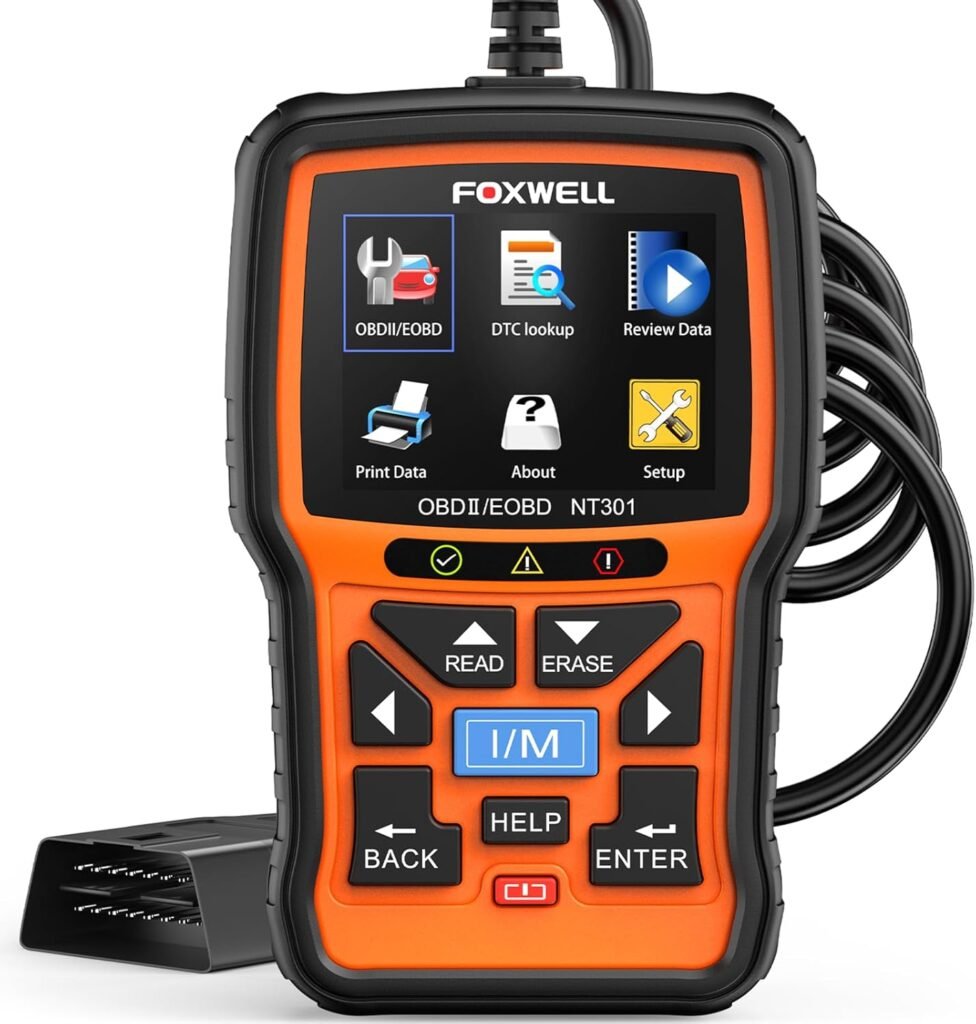
The FOXWELL NT301 reads and clears all generic OBD2 codes, displays freeze frame data, and includes an I/M readiness check for emissions testing. It works on any 1996 and newer vehicle and requires no batteries, powering entirely from the OBD2 port. It is the most capable sub-$30 reader currently available.
Best Mid-Range Pick: ANCEL AD310
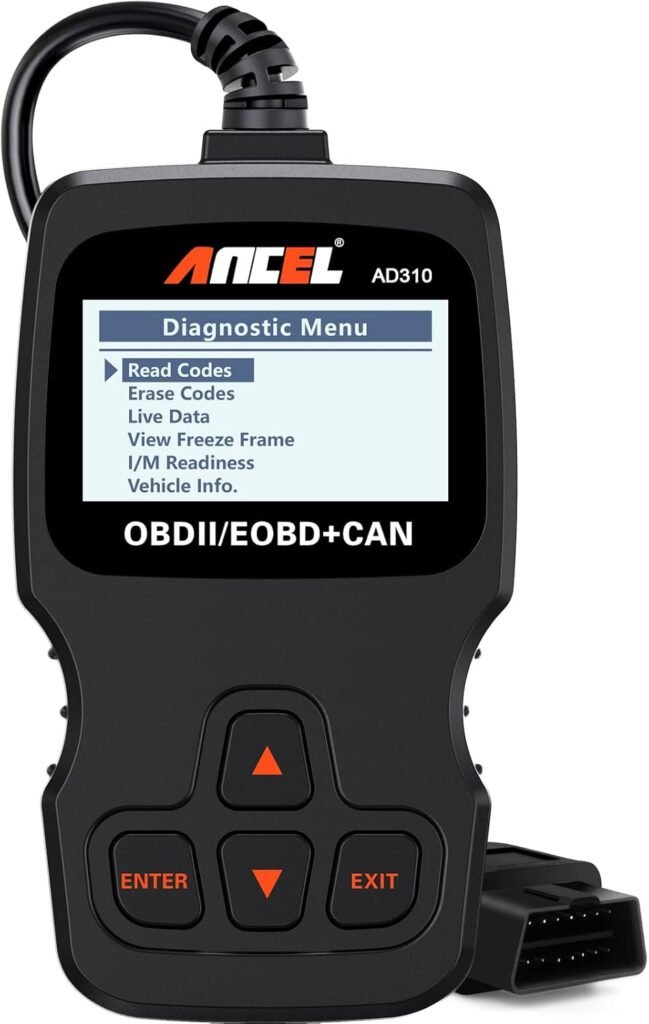
The ANCEL AD310 adds an onboard code definition library, so you get the plain-English description without needing a phone. Its large backlit display is easy to read in a dim garage, and the unit stores previous readings so you can compare current data to past results. It sits comfortably in the $25 to $35 range.
Best Advanced Pick: LAUNCH CRP129E
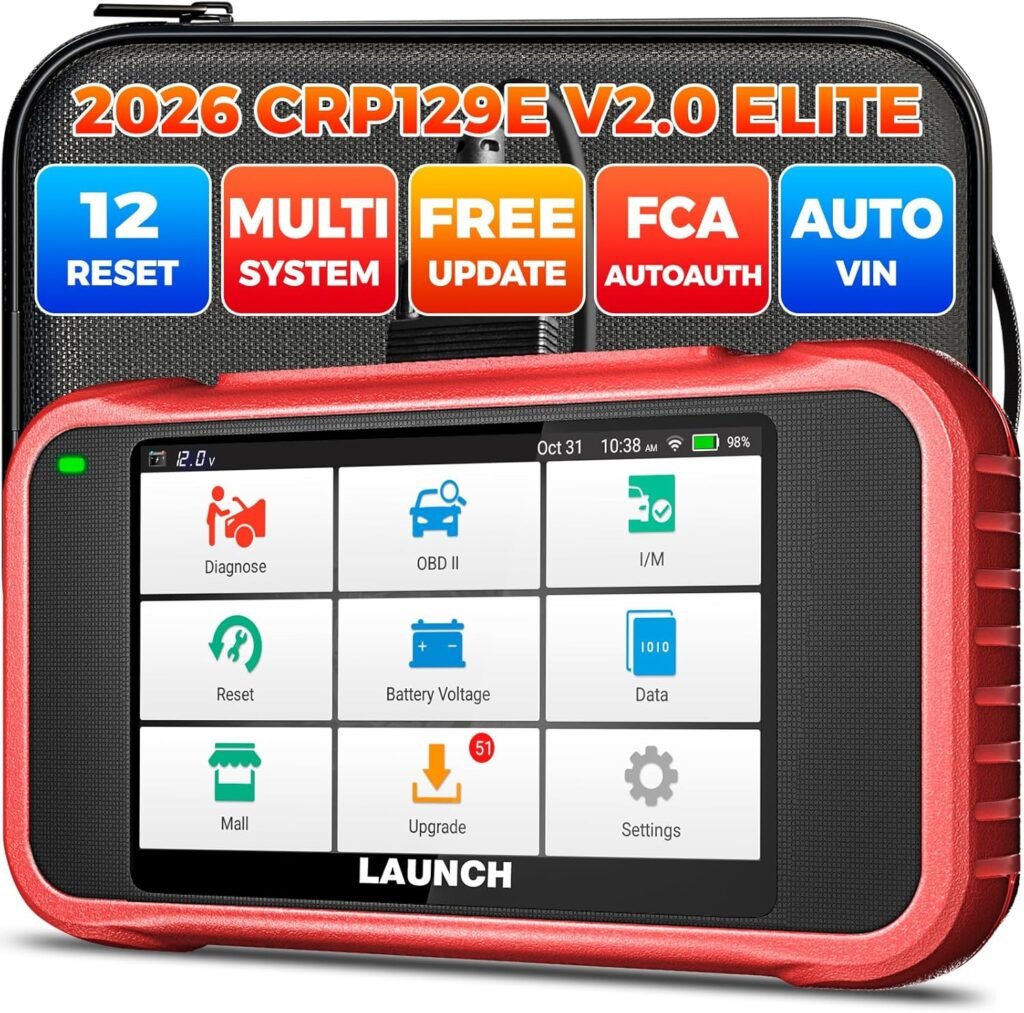
For owners who want deeper diagnostics, the LAUNCH CRP129E covers ABS, SRS airbag, transmission, and engine codes across all four major systems, not just powertrain. It provides live data graphing and automatic vehicle identification via VIN scan. This is the tool to own if you work on multiple vehicles or plan to do more involved repairs yourself.
Bottom Line
Using a car code reader is a straightforward six-step process: locate the port, turn the ignition on, plug in, read codes, record them, and then decide whether to repair or seek professional help. The tool pays for itself the first time it saves you a shop diagnostic fee.
If you are still deciding which scanner fits your needs, our comparison guide covers the top OBD2 readers side by side.See Our Top OBD2 Scanner Picks
Frequently Asked Questions
Can I use a car code reader on any vehicle?
Any vehicle manufactured after 1996 in the US, or after 2001 in most other markets, supports the OBD2 standard and will work with a universal code reader. Older vehicles use proprietary OBD1 connectors that require manufacturer-specific tools.
Will clearing codes fix my check engine light permanently?
Clearing codes only removes the stored fault from ECU memory. If the underlying problem has not been repaired, the check engine light will return within a few drive cycles. The correct sequence is always: diagnose, repair, then clear.
Do I need a professional scanner or will a basic code reader work?
A basic code reader handles generic powertrain codes, which cover the vast majority of check engine light scenarios. A professional-grade scanner adds live data graphing, bidirectional component testing, and manufacturer-specific codes for deeper or more complex diagnosis.
Is it safe to drive with the check engine light on?
A steady check engine light generally means you can drive short distances to a shop or repair the fault yourself before it worsens. A flashing check engine light is a different matter and signals an active misfire that can destroy the catalytic converter within minutes of continued driving.
Also Read On:
Best OBD2 Scanners for DIY Car Diagnostics (2026 Review)
Husqvarna vs Stihl Chainsaw: Which Is Better? (2026 Expert Comparison)